Email Signature Generator
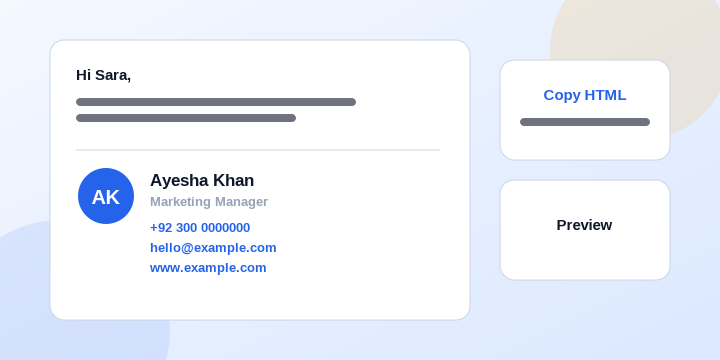
Fill in your details to build a simple, professional email signature. Preview it, then copy the HTML into Gmail, Outlook or Apple Mail. This email signature generator uses plain HTML so it works in most email apps.
Quick answer
Create a clean HTML email signature with your name, role, phone and website. Preview it and copy the HTML. Free tool.
How to use it
- Enter your name, role, company and contact details.
- Click Create signature and check the preview.
- Copy the HTML.
- Paste it into your email app signature settings.
Tips for a good email signature
- Keep it short: name, role, one phone number and one link
- Use plain text and a simple layout so it loads in every app
- Avoid large images, which can be blocked or flagged as spam
- Make links clickable and check them on mobile
- Use the same details as your website and Google Business Profile
How to add it to your email app
In Gmail, open Settings, choose See all settings and paste the signature into the Signature box. Gmail may not accept raw HTML, so you can also copy the preview and paste it as formatted text. In Outlook and Apple Mail, paste the preview into the signature editor.
Keep your brand details consistent across your site and profiles. Need a website that matches? See our web design service.
FAQ
Will the signature work on mobile?
A simple table layout works in most mobile email apps, but test by sending an email to yourself.
Can I add a logo?
Yes, but images are often blocked until the reader allows them. Keep important details in text.
Is my information stored?
No. Everything is created in your browser.
Need a custom tool or AI SEO help? See custom SEO tool development, our AI SEO services or message us on WhatsApp.
How this topic connects: the layers of free seo and marketing tools
Search engines and AI assistants understand a subject through connected ideas. This map shows where this page sits and what to read or compare next.
| Topic layer | What it covers | Where to go |
|---|---|---|
| Core | Email Signature Generator | This page |
| Topic hub | All free tools | Free tools |
| Tools and guides | Free resources for this topic | Free website SEO checker, Keyword density guide, UTM parameters guide |
| Next step | Get a written quote or help | Contact WCV Digital |
Questions answered on this page: Will the signature work on mobile? | Can I add a logo? | Is my information stored?
About WCV Digital and this page
WCV Digital is a Karachi-based digital agency (Plot H 7/12C, Block 3 Nazimabad, Karachi 74600) offering web design, development, software and SEO. The business operates under Wholesale (WCV) Ltd, registered in the United Kingdom with Company No. 16571122. Last reviewed: November 2026 by the WCV Digital team. Rules, platforms and tool features change, so confirm current details before you commit.
More free tools
Why a professional email signature matters
Every email you send is a small marketing message. A well designed signature tells the reader who you are, what you do and how to reach you, without extra effort. It also builds trust, because customers are more likely to answer an email that comes with a clear name, role, company and contact details. This email signature generator creates a clean signature you can paste into Gmail, Outlook and other mail apps.
What to include in a signature
- Full name and job title
- Company name and website
- One phone or WhatsApp number
- A professional email address on your domain
- A short line about your service or an offer
- Social profile links, kept to the platforms you actually use
- Logo or a small photo for recognition
Keep it short. Four to six lines is enough, and each extra link reduces attention for the important ones.
Design tips for readable signatures
Use a simple font that is available on most devices. Keep the width near 500 pixels so it does not break on phones. Limit colors to your brand palette, which you can build with the color palette generator. Use a small logo image of less than 50 KB so the email loads quickly, and always set alt text so it makes sense if images are blocked.
How to install your signature
- Fill in the fields and preview the result.
- Copy the signature using the copy button.
- In Gmail, open Settings, then See all settings, and paste it in the Signature box.
- In Outlook, open Settings, then Mail, then Compose and reply, and paste it into the signature editor.
- Send a test email to yourself and check it on a phone and a computer.
If layout shifts after pasting, use the HTML version in the tool and paste it into an editor that accepts HTML.
Do and do not
- Do use a call to action when it helps, such as Book a call, but keep only one.
- Do add your WhatsApp link made with the WhatsApp link generator if customers prefer chat.
- Do not use huge images or animated graphics.
- Do not add long legal text unless required.
- Do not use a free personal address for business mail.
Consistency across your team
If several people send email for your company, use the same layout for everyone and change only names and numbers. A consistent look makes the business seem organized and makes brand colors familiar. Store the template in a shared note so new staff can set it up on day one.
Compliance and privacy
Some industries and countries require specific details in business email, such as a company registration number or a registered office. Check the rules that apply to you. Avoid placing your personal home address or private numbers in a signature, since emails are forwarded widely.
Signature ideas by profession
A freelancer can show name, specialty, portfolio link and WhatsApp. A shop owner can show store name, address, hours and map link. A consultant can show a booking link and one line of social proof, such as helping local businesses grow since 2015. Choose the details that help a customer take the next step, and leave out the rest.
Testing across devices and apps
Send your signature to a Gmail account, an Outlook account and a phone. Check that links open, images show and text does not wrap strangely. Test in dark mode too, since a logo with a white background can look like a box on a dark screen. Use a transparent PNG logo to avoid this.
Updating signatures
Review the signature each quarter. Remove old offers, update titles and replace broken links. A stale phone number or a closed social account makes a business look careless, while a fresh, accurate signature quietly supports every email you send.
Signature and email deliverability
Large images, many links and heavy formatting can push messages toward spam folders. Keep the signature light, use your own domain for links where possible and avoid link shorteners from unknown providers. Good deliverability means your messages are actually read.
Small details that build trust
Use the same name format you use on contracts and invoices. Add your job title so the reader knows why you are writing. Include a single phone or WhatsApp number that you actually answer. Link your website with its clean address, not a long tracking URL. If you have a registered company, add its name. Leave out quotes, long slogans and rows of badges. When the signature is quiet and accurate, readers focus on your message, and the details are there when they need them. Check that the font size is at least 12 pixels so it is comfortable on small screens.
Accessibility for signatures
Many readers use screen readers or have images turned off. Write contact details as real text, not as a picture. Add meaningful alt text to your logo, such as the company name. Use strong color contrast between text and background, and make links clearly different from normal text. These small habits make your email readable for everyone and protect the information customers need to reach you.
Free guide: install and use your email signature
A clean signature makes every email look professional and gives readers a quick way to call, visit or book. Create it above, then install it once in your email app.
Gmail
- Click Copy signature
- Open Gmail, go to Settings, then See all settings, and scroll to Signature
- Create a new signature and paste with Ctrl+V
- Choose it for new emails and replies, then save
Outlook
- Open Settings, then Mail, then Compose and reply
- Paste the copied signature into the editor and save
Apple Mail and others
Paste the copied signature into the signature box. If your app has an HTML option, paste the HTML code instead.
Best practice
- Keep it to 5 to 7 lines and under 600 pixels wide
- Use one accent color and one font
- Host photos or logos on your site over https and keep them small
- Use text links for social profiles because many email apps block icon images
- Do not add long legal text on every reply
Questions people ask
Does the signature work in Gmail and Outlook?
Yes. It is built with simple HTML that both support. Always send a test to confirm.
Can I add my logo?
Yes. Use a link to a hosted image, and keep the file small.
Why does my signature look different on phones?
Mail apps scale content differently. Keep the layout narrow and simple to reduce differences.
Should I include a disclaimer?
Only when your industry or company policy needs one. Keep it short.
Is the email signature generator free?
Yes, free to use.