XML Sitemap Generator
Paste one URL per line and download a standard sitemap.xml. This tool builds the file from the list you give it. It does not crawl your site, so include every page you want search engines to find.
Quick answer
Paste your page URLs and get a valid sitemap.xml with lastmod, change frequency and priority. Free, no sign-up.
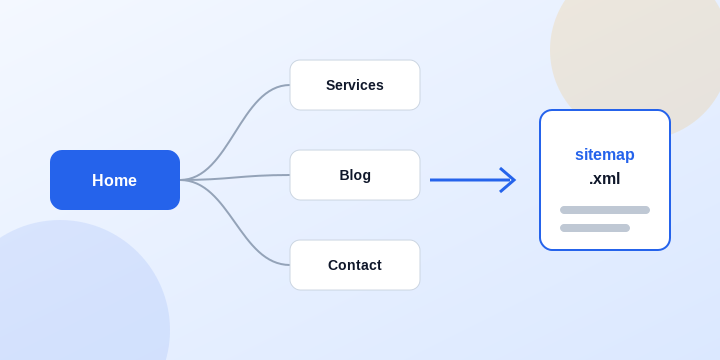
How to use it
- Paste your full page URLs, one per line.
- Pick a change frequency and priority.
- Click Generate, then download sitemap.xml.
- Upload it to your site root and submit it in Google Search Console.
Sitemap best practice
- List only pages that return 200 and can be indexed
- Keep URLs on one canonical version, with or without www
- Update lastmod only when a page really changes
- Reference the sitemap in robots.txt using our robots.txt generator
What an XML sitemap does
An XML sitemap lists the pages you want search engines to find. It does not force indexing, but it helps crawlers discover new and updated pages, especially on larger sites. A simple sitemap generator is enough for a small business website where you can list every URL by hand.
What to include and what to leave out
- Include canonical pages that return a 200 status
- Include important service, location, product and article pages
- Leave out redirected, noindex or duplicate pages
- Leave out admin, cart, search and thank-you pages
How to create a sitemap with this tool
Collect the URLs from your navigation, your page list or your CMS export, and paste them into the box. Choose a change frequency and priority, then create sitemap.xml and upload it to your site root. This free xml sitemap generator builds the standard format that Google and Bing accept. If your site changes often, use a plugin or your CMS to update the file automatically instead.
Submit your sitemap
Open Google Search Console, go to Sitemaps and add the sitemap URL. Also reference it in robots.txt with our robots.txt generator. Check the report a few days later to see how many pages were discovered and whether any errors appear.
Run this sitemap generator again whenever you add or remove an important page, then upload the new file.
FAQ
Does a sitemap guarantee indexing?
No. It helps search engines discover pages, but they decide what to index.
Does this tool crawl my site?
No. It builds the file from the URLs you paste.
Where do I upload sitemap.xml?
In your site root so it opens at yourdomain.com/sitemap.xml, then submit it in Search Console.
How many URLs can a sitemap have?
A single sitemap can hold up to 50,000 URLs or 50 MB uncompressed. Larger sites use a sitemap index.
Do I need a sitemap for a small site?
It is not required, but it is quick to add and helps new pages get discovered.
Should I include the priority tag?
Search engines largely ignore priority and change frequency, so keep it simple and accurate lastmod dates matter more.
Need a custom tool or AI SEO help? See custom SEO tool development, our AI SEO services or message us on WhatsApp.
How this topic connects: the layers of free seo and marketing tools
Search engines and AI assistants understand a subject through connected ideas. This map shows where this page sits and what to read or compare next.
| Topic layer | What it covers | Where to go |
|---|---|---|
| Core | XML Sitemap Generator | This page |
| Topic hub | All free tools | Free tools |
| Tools and guides | Free resources for this topic | Free website SEO checker, Keyword density guide, UTM parameters guide |
| Next step | Get a written quote or help | Contact WCV Digital |
Questions answered on this page: Does a sitemap guarantee indexing? | Does this tool crawl my site? | Where do I upload sitemap.xml? | How many URLs can a sitemap have?
About WCV Digital and this page
WCV Digital is a Karachi-based digital agency (Plot H 7/12C, Block 3 Nazimabad, Karachi 74600) offering web design, development, software and SEO. The business operates under Wholesale (WCV) Ltd, registered in the United Kingdom with Company No. 16571122. Last reviewed: November 2026 by the WCV Digital team. Rules, platforms and tool features change, so confirm current details before you commit.
More free tools
What an XML sitemap is
An XML sitemap is a file that lists the URLs you want search engines to know about, often with the date each page last changed. It helps crawlers discover new and updated pages faster, especially on large sites or sites with few internal links. This sitemap generator creates a valid sitemap file from your list of pages so you can upload it and submit it to Google.
What to include and what to leave out
- Include indexable pages that return a 200 status.
- Include canonical URLs only, using one preferred version.
- Leave out redirects, error pages, login pages, thank-you pages and duplicates.
- Leave out pages set to noindex.
- Keep each file under 50,000 URLs or 50 MB.
A clean sitemap tells search engines which pages matter most, so keep it accurate.
How to use the generator
- List your page URLs, one per line.
- Choose optional values such as last modified date.
- Generate the XML.
- Save it as sitemap.xml and upload it to your site root.
- Add the sitemap line to your robots.txt.
- Submit it in Google Search Console and Bing Webmaster Tools.
Sitemap fields explained
The loc field holds the page URL. The lastmod field holds the last change date and is the most useful optional field when it is accurate. Google ignores priority and changefreq in most cases, so you can leave them out. Do not update lastmod for tiny edits, since trust in the date falls if it changes without real content updates.
Submit and monitor
In Search Console, open the Sitemaps report, enter the sitemap address and submit it. Check the status and the number of discovered pages. If pages show as not indexed, inspect a few of them to find the reason, such as duplicate content, low quality or blocked crawling. Review the report after every site update.
Large sites and sitemap indexes
When a site grows, split sitemaps by type, for example pages, blog posts and products, and list them in one sitemap index file. This makes problems easier to find, because the indexing numbers show which area has an issue. Dynamic sites should generate the sitemap automatically so it stays current without manual work.
Related tools
Pair your sitemap with a correct robots.txt, a summary for AI tools from the llms.txt generator and a page review with the website SEO checker.
Example sitemap entry
Each page in a sitemap is a small block with its address and last modified date. A site with fifty pages produces a file of fifty such blocks inside one urlset wrapper. The generator writes this structure for you, so you only need to supply the addresses. This avoids typing errors, such as a missing closing tag, which would make the whole file invalid.
Common sitemap problems and fixes
If Search Console reports that the sitemap could not be read, check that the file opens in a browser, uses UTF-8 and has no stray text before the XML. If it shows URLs blocked by robots.txt, remove the block or remove those URLs from the list. If many listed pages return errors, clean the list so the sitemap contains only working pages.
Image and video sitemaps
Sites that rely on images or video can add extra sitemap data so those files are discovered faster. For most business sites a normal page sitemap is enough, and well written alt text and file names handle the images. Add specialized sitemaps only when media is a major source of traffic for your business.
Checklist after uploading
Open the sitemap address in a browser and confirm it loads. Check that the file lists the final canonical URLs with the correct domain and protocol. Add the sitemap line to robots.txt. Submit the file in Search Console. Wait a day or two, then check the report for errors. Finally, set a reminder to regenerate the file whenever you launch new pages, so search engines always have a current list of your content.
Free guide: build and submit a sitemap that helps indexing
A sitemap is a list of the pages you want search engines to find. It does not guarantee ranking, but it speeds up discovery of new pages and shows Google which URLs you consider important.
What to include
- Only canonical pages that return 200 OK
- Pages you want in search results, such as services, locations, products and blog posts
- One version of each URL: with or without trailing slash, with or without www, never both
What to leave out
- Redirected, deleted or error pages
- Pages marked noindex
- Login, cart, search and filter URLs with parameters
- Thank-you pages and duplicate content
Priority and change frequency
Google mostly ignores both. A last modified date that changes only when the page truly changes matters more. Keep priority simple: homepage 1.0, main pages 0.8, deeper pages lower.
Submit it
- Upload sitemap.xml to the root of your site so it opens at yourdomain.com/sitemap.xml
- Add the line Sitemap: https://yourdomain.com/sitemap.xml to robots.txt
- Submit the URL in Google Search Console under Sitemaps
- Check the Pages report a week later for pages that are not indexed and fix the reasons
Limits
One sitemap file can hold 50,000 URLs or 50 MB. Above that, split it into several files and list them in a sitemap index. Big sites should regenerate it whenever pages are added.
Questions people ask
Do I need a sitemap?
Small, well linked sites may be found without one, but a sitemap still speeds up discovery and helps reporting.
Where should the sitemap be located?
In the site root, for example yourdomain.com/sitemap.xml.
Does a sitemap guarantee indexing?
No. It helps discovery, but Google decides what to index.
How often should I update it?
Whenever you add, remove or significantly change pages. Dynamic sites should update it automatically.
Is the sitemap generator free?
Yes, free to use.