Word Counter
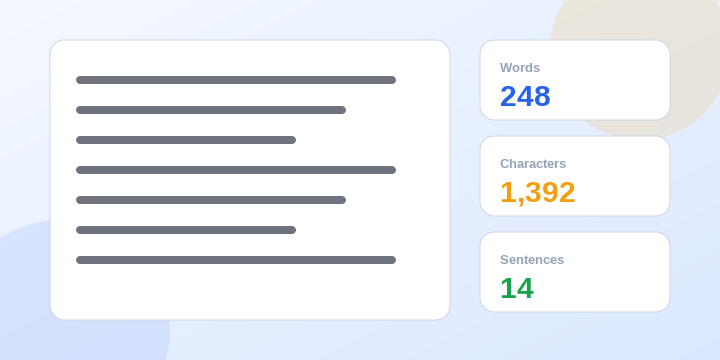
Paste or type your text to see the word count, character count, sentences, paragraphs and reading time update instantly. The word counter works in your browser, so your text is never uploaded.
Quick answer
Count words, characters, sentences and paragraphs as you type. Free word counter with reading time. No sign-up.
How to use it
- Type or paste your text into the box.
- Read the counts, which update as you type.
- Edit until you reach the length you need.
- Copy your text back into your document or page.
When word count and character count matter
Length rules appear everywhere. Search results show about 60 characters of a title and about 160 of a description. Posts, ads and bios have their own limits, and essays and assignments have word targets. A quick character counter saves you from cut-off text and rejected forms.
- Meta title: about 60 characters
- Meta description: about 150 to 160 characters
- X (Twitter) post: 280 characters
- Typical blog post: 1,000 to 2,000 words
- Reading time: roughly 200 words per minute
How the counts are made
Words are groups of characters separated by spaces. Sentences are counted from full stops, question marks and exclamation marks. Paragraphs are blocks separated by a new line. Counts differ slightly between tools, so use this word counter as a guide and follow the rules of the platform you publish on.
Tips for writing to length
- Cut filler words before you cut meaning
- Use short sentences for web copy
- Check the final text with our keyword density checker
- Create a matching title with the meta description generator
FAQ
Is my text saved or uploaded?
No. Everything runs in your browser and nothing is sent to a server.
How is reading time calculated?
It divides your word count by 200 words per minute, a common average for adults.
Does it count spaces as characters?
Yes, the character count includes spaces and a separate figure shows the count without spaces.
Need a custom tool or AI SEO help? See custom SEO tool development, our AI SEO services or message us on WhatsApp.
How this topic connects: the layers of free seo and marketing tools
Search engines and AI assistants understand a subject through connected ideas. This map shows where this page sits and what to read or compare next.
| Topic layer | What it covers | Where to go |
|---|---|---|
| Core | Word Counter | This page |
| Topic hub | All free tools | Free tools |
| Tools and guides | Free resources for this topic | Free website SEO checker, Keyword density guide, UTM parameters guide |
| Next step | Get a written quote or help | Contact WCV Digital |
Questions answered on this page: Is my text saved or uploaded? | How is reading time calculated? | Does it count spaces as characters?
About WCV Digital and this page
WCV Digital is a Karachi-based digital agency (Plot H 7/12C, Block 3 Nazimabad, Karachi 74600) offering web design, development, software and SEO. The business operates under Wholesale (WCV) Ltd, registered in the United Kingdom with Company No. 16571122. Last reviewed: November 2026 by the WCV Digital team. Rules, platforms and tool features change, so confirm current details before you commit.
More free tools
Why a word counter still matters in 2026
Every piece of writing has a length rule. A student has an essay target, a copywriter has a brief, a seller has a product title limit, and an SEO has a meta description that Google cuts at roughly 160 characters. Counting by eye is slow and wrong. A free online word counter gives you the exact number the moment you paste your text, so you can edit with confidence instead of guessing.
This word counter also shows characters with and without spaces, sentences, paragraphs and estimated reading time. Those extra numbers help more than people expect. Characters with spaces decide whether a social post fits. Characters without spaces are used by some translation agencies for pricing. Sentence and paragraph counts show whether a page is a wall of text or easy to scan.
Word count targets for common content
Length should match intent. A short answer wins for a quick question, while a detailed guide is better for a comparison or a how-to. Use these ranges as a starting point and then check what the top pages for your keyword actually publish.
- Product description: 80 to 200 words
- Service page: 800 to 1,500 words
- Blog post: 1,000 to 2,000 words
- Pillar guide: 2,000 to 3,500 words
- Email newsletter: 150 to 400 words
- LinkedIn post: 100 to 250 words
- University essay: as set by the course, usually 1,000 to 3,000 words
Do not pad text to hit a number. Search engines and readers both reward pages that answer the question fully and stop. If your word count is lower than competitors, add depth such as examples, steps or a table, not filler sentences.
Character limits you should remember
Platforms cut text without warning. A title that runs over the limit loses its ending in search results, and an ad that exceeds its limit may be rejected. Paste your draft here and trim until you are inside the limit.
- SEO title: about 60 characters
- Meta description: 150 to 160 characters
- X (Twitter) post: 280 characters
- Instagram caption: 2,200 characters
- Google Business Profile post: 1,500 characters
- SMS message: 160 characters per segment
Remember that some characters, such as emoji or Urdu script, can count as more than one unit on certain platforms, so leave a small safety margin.
How to use the word counter for SEO writing
Write your draft in your editor, paste it into the counter and check three things. First, the total words against your competitor average. Second, the sentence count, because many very long sentences hurt readability. Third, the paragraph count, because short paragraphs keep mobile readers on the page.
After editing, paste only your meta title and description into the box one at a time and confirm their character counts. If you track keyword use, our keyword density checker pairs well with this tool, and the readability checker shows how easy your text is to follow.
Privacy: your text stays on your device
The counting happens inside your browser with JavaScript. Nothing you type is uploaded, stored or logged. That makes the tool safe for unpublished articles, client drafts and private notes. You can even disconnect from the internet after the page loads and it will keep working.
Tips for tighter writing
Counting is only the start. Once you know your length, cut what does not help. Remove repeated openings, replace long phrases with short ones and delete sentences that restate the previous one. Read the text aloud, because awkward lines are easy to hear. Then recount and compare. Most drafts improve by ten to twenty percent when edited this way.
A simple workflow for hitting a word target
Start by setting the target before you write, not after. Decide the number from the brief, the competitor average or the platform limit. Write a rough draft without stopping to count, then paste it in and see where you stand. If you are under, find thin sections and add an example, a step or a short table. If you are over, cut repetition first, then secondary points. This approach keeps the writing natural and avoids the stiff feel of text stretched to a number.
Freelancers who bill by the word can use the counter to confirm deliverables before sending an invoice. Agencies can attach the count to a content report so the client sees exactly what was delivered.
Reading time and why it helps
Reading time is a promise to your visitor. A line that says 4 min read lets people decide whether to start now or save the page. Since the tool uses 200 words per minute, a 1,000 word article shows 5 minutes. Slower topics such as technical manuals may take longer, so treat the figure as a guide.
Counting words in different content types
For a web page, count only the visible main content, not the menu, footer or sidebar. For an email, count the body without the signature. For a translation job, ask whether the client counts source words or target words. For an academic paper, check whether references and footnotes are included. Small rules like these decide whether you meet a limit or miss it by two hundred words.
Free guide: hit the right length every time
The right length depends on where the text will live. Use the limits panel above to see how close you are to each platform, and the word goal to track long pieces.
Typical lengths that work
- Page title: up to 60 characters
- Meta description: 120 to 160 characters
- Google Ads headline: 30 characters
- Post on X: 280 characters
- Instagram caption: up to 2,200 characters
- LinkedIn post: up to 3,000 characters
- Blog post: 1,000 to 2,000 words for most topics
- Service or landing page: 500 to 1,000 words
Reading and speaking time
Adults read about 200 words a minute and speak about 130. A 3 minute video script is roughly 400 words. A 5 minute read is about 1,000 words.
Check your keywords
The top words and phrases show what your text is really about. If your main topic is not near the top, add it where it fits. If one word dominates, vary it.
Editing routine
- Paste the text and set a word goal
- Use Remove extra spaces to clean copy from PDFs and emails
- Check each platform limit before posting
- Download the Excel report for client reports
Questions people ask
Does the word counter count hyphenated words as one?
Yes. A hyphenated term such as long-term is treated as one word because it has no space inside it.
Can I count words in Urdu or other languages?
Yes. The tool splits on spaces, so it works for any language that separates words with spaces, including Urdu written in Nastaliq or Roman Urdu.
Is there a limit on how much text I can paste?
There is no fixed limit. Very large documents of hundreds of thousands of words may feel slower, but normal essays, articles and books work fine.
Why does my word processor show a different count?
Programs count punctuation, numbers and symbols a little differently. A difference of a few words is normal. Use one tool consistently when you must meet a strict target.
Is this word counter free?
Yes, it is free with no sign-up and no daily limit.