Google Review Link Generator
Enter your Google Place ID to build a direct link that opens the review box. Use this google review link generator to send customers straight to your review form by WhatsApp, SMS, email or a printed card.
Quick answer
Create a direct Google review link from your Place ID, plus a ready WhatsApp message to ask customers for reviews. Free tool.
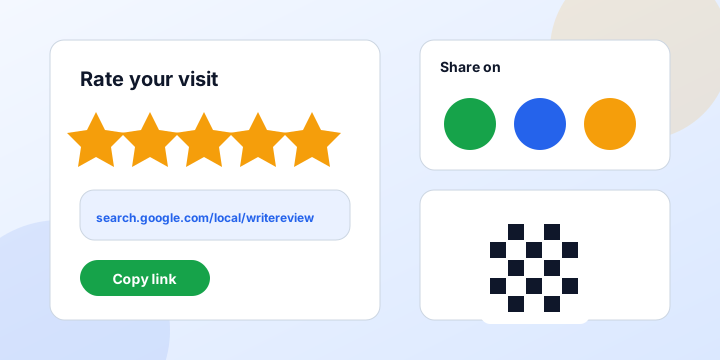
Find a Place ID with Google's Place ID Finder, or ask us to help. A single line with only a Place ID also works.
How to use it
- Find your Place ID with Google's Place ID Finder.
- Paste it into the first box and add your business name.
- Click Create link and copy the review link.
- Send the message by WhatsApp, SMS or email, or print the link as a QR code.
How to get more Google reviews
Reviews help your Google Business Profile rank and help new customers trust you. A direct link removes the steps, so more happy customers actually finish a review.
- Ask right after a good experience
- Send the link by WhatsApp with a short, polite message
- Never offer rewards for reviews, which breaks Google policy
- Reply to every review, good or bad
- Never write or buy fake reviews
Google review link and QR codes
Many owners also look for a qr code generator for google reviews. Create the link here, then paste it into any QR code maker and print it on cards or counters. Customers scan it and land on the review form. Make sure you test the code with your own phone.
Want us to handle your profile?
We set up and optimise profiles, including review strategy. See our Google Business Profile optimization page, and create a click-to-chat link with the WhatsApp link generator.
FAQ
What is a Place ID?
It is a unique code Google gives every place. It lets the review link open your exact business.
Can I use this link on my website?
Yes. Add it to a button or footer link, or send it in messages.
Is it allowed to ask for reviews?
Yes, asking is fine. Offering money or gifts in exchange for reviews is not allowed.
Need a custom tool or AI SEO help? See custom SEO tool development, our AI SEO services or message us on WhatsApp.
How this topic connects: the layers of free seo and marketing tools
Search engines and AI assistants understand a subject through connected ideas. This map shows where this page sits and what to read or compare next.
| Topic layer | What it covers | Where to go |
|---|---|---|
| Core | Google Review Link Generator | This page |
| Topic hub | All free tools | Free tools |
| Tools and guides | Free resources for this topic | Free website SEO checker, Keyword density guide, UTM parameters guide |
| Next step | Get a written quote or help | Contact WCV Digital |
Questions answered on this page: What is a Place ID? | Can I use this link on my website? | Is it allowed to ask for reviews?
About WCV Digital and this page
WCV Digital is a Karachi-based digital agency (Plot H 7/12C, Block 3 Nazimabad, Karachi 74600) offering web design, development, software and SEO. The business operates under Wholesale (WCV) Ltd, registered in the United Kingdom with Company No. 16571122. Last reviewed: November 2026 by the WCV Digital team. Rules, platforms and tool features change, so confirm current details before you commit.
More free tools
What a Google review link does
A Google review link takes a customer straight to the review box for your business on Google. Instead of searching for your listing, finding the button and writing a review, they click once and type. Reducing steps is the most effective way to collect more reviews, and reviews influence both local rankings and customer trust. This generator builds the link for your business from your Place ID.
Why reviews matter for local SEO
Google considers the number, quality, recency and keywords of reviews when it ranks businesses in the map pack. Customers read them before they call or visit, and many only consider businesses with a strong rating. A steady flow of fresh, honest reviews raises your visibility and your conversion rate at the same time. For a full plan, see our Google Business Profile optimization service.
How to find your Place ID
- Open the Google Place ID finder tool.
- Search for your business name and address.
- Copy the Place ID that starts with the letters ChIJ.
- Paste it into this generator.
- Generate and test your review link.
Where to share your review link
- In a WhatsApp message right after the service
- In an email follow-up with your invoice
- On a thank-you card or receipt with a QR code
- On your website, near testimonials
- In SMS reminders
- On a counter display in your shop
Ask at the moment the customer is happiest, which is usually right after the job is complete or the product arrives.
How to ask for reviews politely
Keep the request short and personal. A message such as: Thank you for choosing us. If you were happy with our service, a short Google review would help us a lot. Here is the link. Avoid offering money or gifts in return for reviews, because this breaks Google policy and can lead to removal. Never review your own business or ask staff to do so.
Responding to reviews
Reply to every review, positive or negative, within a few days. Thank people by name, mention the service and keep a calm tone. For a negative review, apologize for the experience, state what you will do and invite them to contact you directly. Future customers read your replies as much as the reviews themselves.
Review rules to remember
Do not gate reviews by asking only happy customers to post, and do not write fake reviews. Google can remove reviews and penalize profiles that break its rules. Honest feedback, even when mixed, makes a rating look credible. Pair this tool with a WhatsApp link to send requests quickly.
Building a review routine
Reviews grow when asking becomes a habit. Add the request to the last step of your process: after delivery, after a payment or after a project handover. Send the link the same day, send one gentle reminder a few days later and then stop. A simple spreadsheet with the customer name, date asked and date received keeps the routine tidy.
Using reviews in your marketing
Share strong reviews on your website, in ads and on social media, with the reviewer permission where needed. Mention common phrases customers use, since those words reflect how people describe your service and often match what future customers search. Always keep the original review live on Google as the proof.
Measuring the effect
Track the number of new reviews each month, your average rating and the calls and direction requests in your Google Business Profile insights. When reviews go up steadily, you often see more profile views and more actions. If a month passes with no new reviews, review how and when you ask.
Templates you can copy
For WhatsApp: Thank you for choosing us, we hope you are happy with the service. A short Google review would mean a lot, here is the link. For email: Subject line, Your feedback helps us. Body, Thank you for your order. If you have a minute, please share your experience on Google using this link. For printed cards: Scan to review us on Google, with the QR code beside a short thank-you line. Adapt each message to the way you speak to customers, keep it friendly and never pressure anyone to leave a particular rating.
What to do with negative reviews
A low rating is not the end of your reputation. Respond calmly within a day or two, thank the person for the feedback and explain how you will fix the problem. Offer a direct contact so the conversation can continue privately. If a review breaks Google policy, such as spam or a conflict of interest, you can report it for removal. Use real complaints as a guide for improving your service, and ask satisfied customers for reviews so your overall rating reflects the true picture.
Free guide: get more Google reviews with one link
A direct review link opens the Google review box in one tap, so customers do not have to search for your profile. Fewer steps means more reviews, and fresh reviews help your local ranking and your conversion rate.
Where to use your link and QR code
- Send it by WhatsApp or SMS right after the job or visit
- Add it to email signatures and invoices
- Print the QR card and place it at the counter or hand it over with the receipt
- Put it on the thank-you page of your website
How to ask
- Ask in person first, then send the link while the experience is fresh
- Keep the message short and personal
- Ask every customer, not only the ones you think are happy
- Never offer rewards or pay for reviews and never review-gate. It breaks Google's rules
After the review arrives
Reply to every review within two days. Thank the customer by name and mention the service. For a negative review, stay calm, apologize for the experience and offer to fix it offline.
Weekly routine
- Send the link to every customer you served this week
- Reply to all new reviews
- Keep a count and aim for a steady stream, not one big burst
- Download the Excel sheet to keep your links and messages in one place
Questions people ask
Is the review link permanent?
Yes, as long as your business profile and Place ID remain the same.
Can customers review without a Google account?
No. They must be signed in to Google to post a review.
How many reviews do I need?
There is no fixed number, but more recent, genuine reviews help both ranking and trust.
Can I turn the link into a QR code?
Yes. Use any QR code generator with the link, then print it on cards or counters.
Is the Google review link generator free?
Yes, free to use.